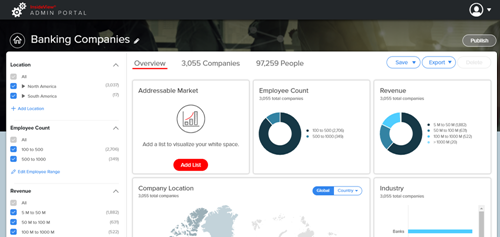
InsideView Apex allows you to clone an existing Market Segment so that you can build a different market segment by modifying the market segment definition.
| Step | Description | Details |
|---|---|---|
| 1 | Log in to InsideView Apex | Log in to InsideView Admin Portal with user credentials. |
| 2 | Select a Market Segment type | Click Apex and select the Market Segments link and click on the market segment that you want to copy.
|
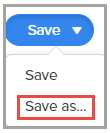
| 3 | Copy a Market Segment | To clone the market segment, click the Save drop-down and select the Save As option.
|
| 4 | Save | Enter a name for the new segment and click Save.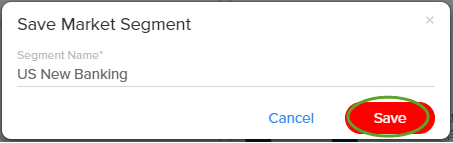 |